Intelligent microscopy
D-CleverEye
Keep your microscope. Add digital image capture, shared review and teaching, with AI analysis, manual whole-slide scanning and DiAssistant on DI-MSA-9.
Choose the configuration
Both configurations capture microscopic images and support live consultation, teaching and annotation. DI-MSA-9 adds the AI and manual scanning tools described below. Choose against the laboratory workflow and the functions your team needs.
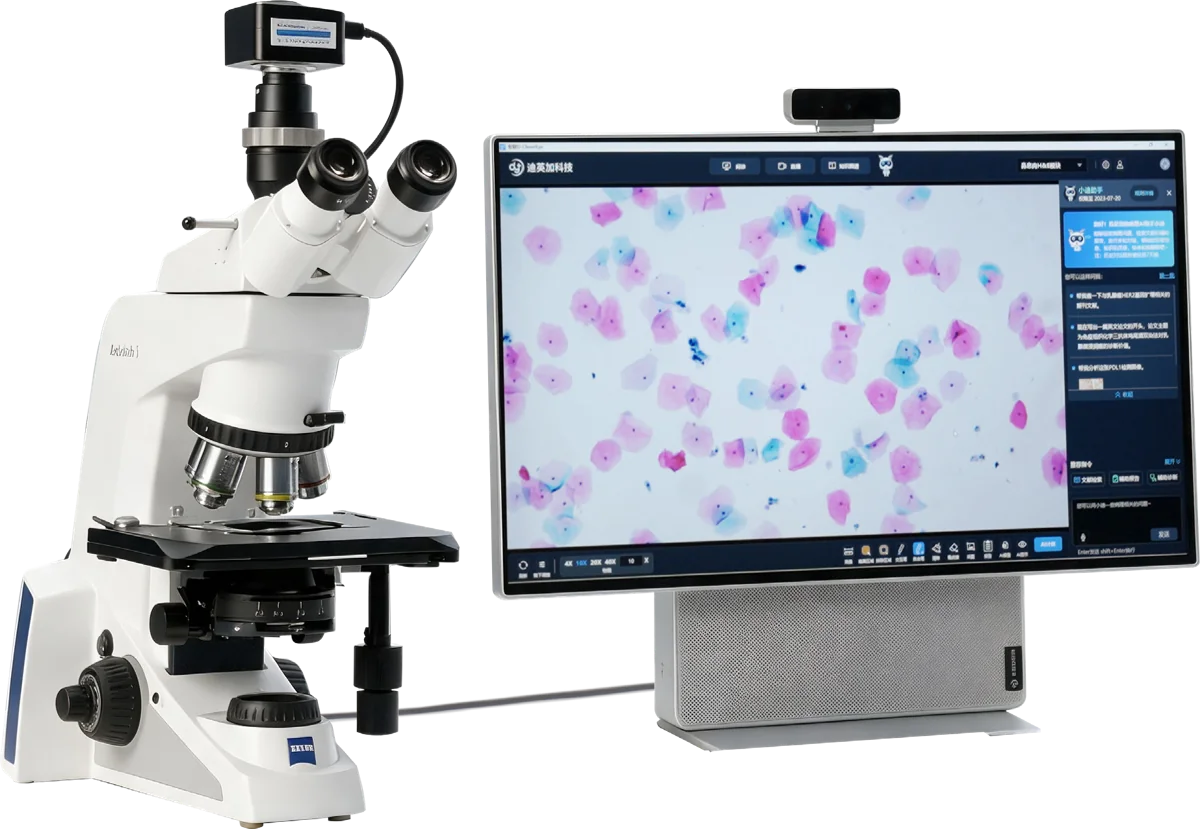
| Component or function | DI-MSA-9 | DI-MSB-8.3 |
|---|---|---|
| Camera | 9 MP CMOS | 8.3 MP CMOS |
| Workstation | 4K display + PC | All-in-one PC |
| Image capture, live consultation, 5G transmission, live teaching and annotation | Supported | Supported |
| DiAssistant | Supported | Not included |
| AI quantification | Supported | Not included |
| Knowledge graph | Supported | Not included |
| Manual WSI scanning and real-time stitching | Supported | Not included |
| Core expert network | Supported | Not included |
Manual scanning with real-time stitching
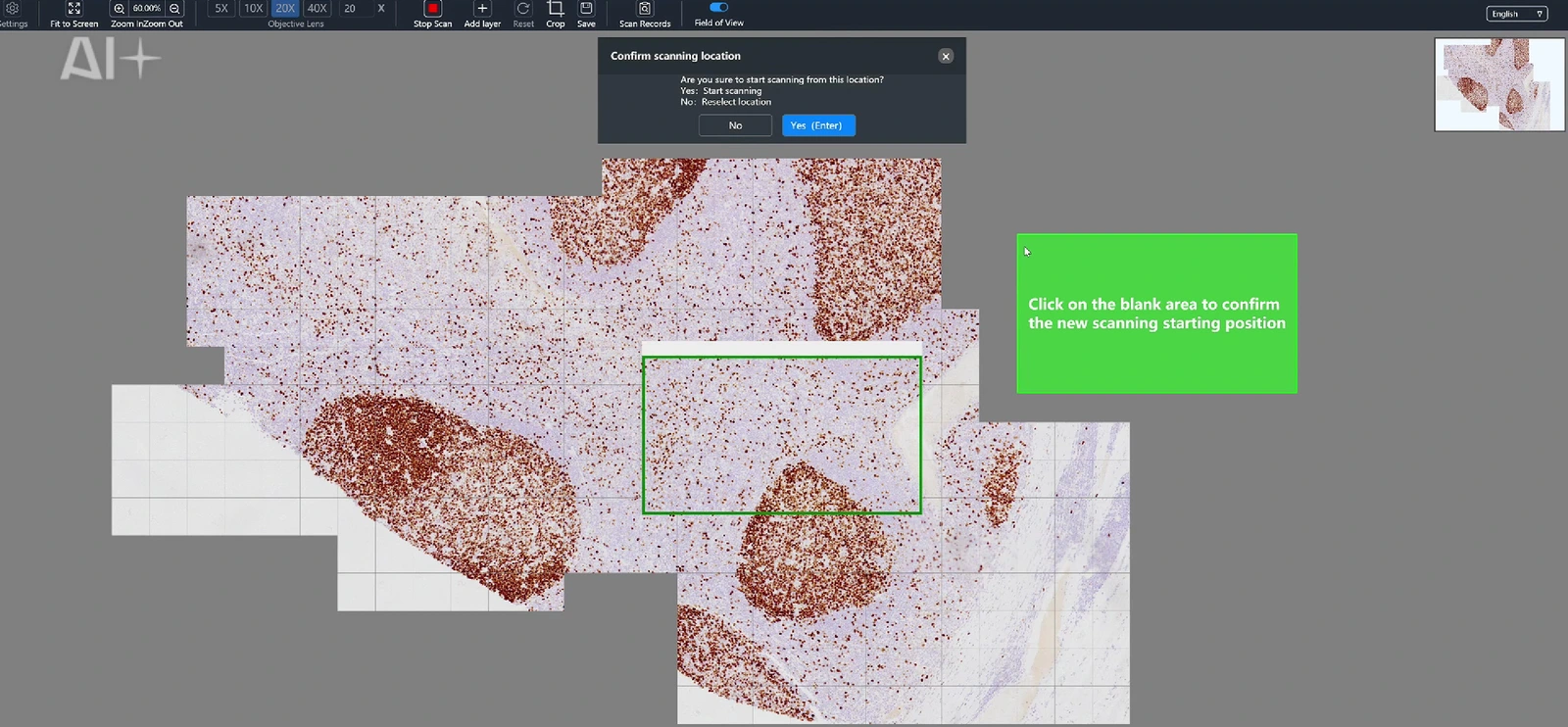
Move the slide by hand while D-CleverEye stitches captured fields in real time. Capture a selected region or extend the acquisition across the whole slide.
- Follow irregular or scattered tissue regions without a preset scanning path.
- Adjust focus for thick sections or cell clusters and capture the depths required for the task.
- This is a manual acquisition workflow. Evaluate the microscope setup and capture procedure with the team.
Analysis and shared review
AI in the microscopic view
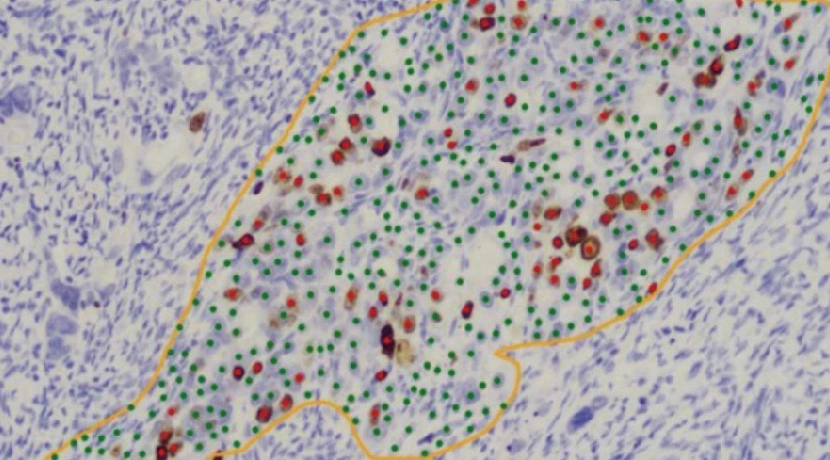
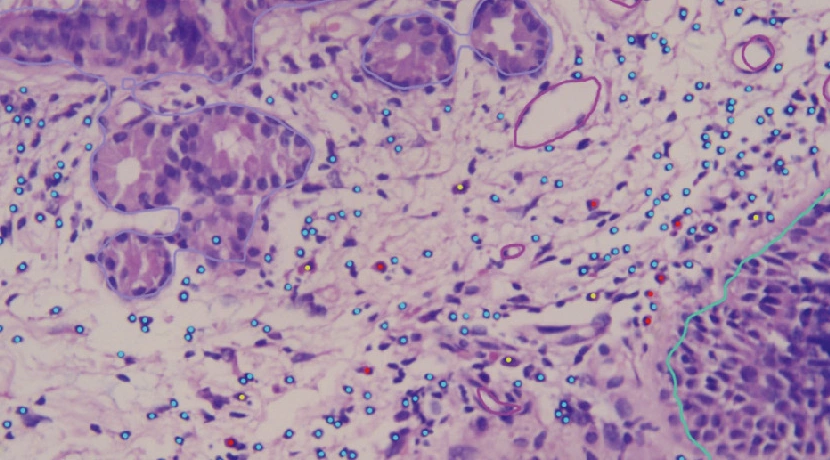
On DI-MSA-9, review IHC nuclear, membrane and cytoplasmic quantification or nasal-polyp H&E analysis within the live microscopic view. The images below show product annotations; they are examples for review, rather than a measure of diagnostic performance.
Share a live view
Share a link or QR code to review the same live view, annotations and voice across desktop and mobile devices. The workflow supports remote consultation, intraoperative frozen-section consultation and teaching.
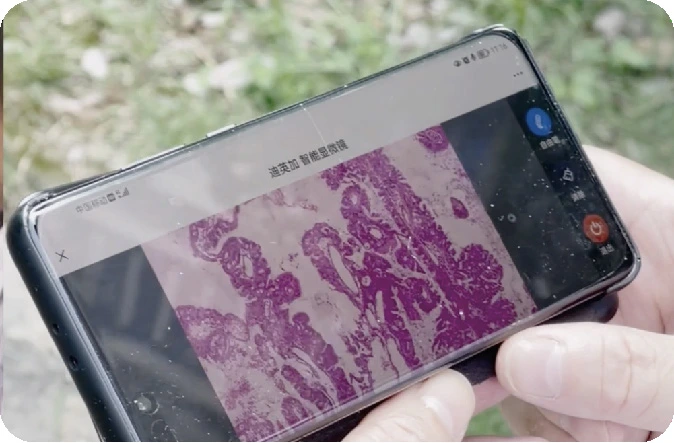
DiAssistant and DeepPathAI
DiAssistant is powered by DeepPathAI and is available with DI-MSA-9. It supports literature and knowledge retrieval, voice interaction, pathology content tasks and report drafts. A pathologist reviews the draft and confirms the final report.
Prepare a microscopy evaluation
- Share the microscope setup, camera and workstation needs, and the types of slides used.
- Identify whether manual scanning, AI quantification, DiAssistant or shared review is required.
- Agree a representative demonstration and review the configuration, network connections and local availability.
Content basis: D-CleverEye product configuration and workflow materials, including the brochure titled D-CleverEye 2.0. The brochure title does not specify the software release installed for a project.
Plan the next step with your team
Share your use case and current setup so the team can confirm the configuration, supporting information and evaluation scope.
Public content reviewed: . Software and configuration versions are confirmed for the proposed project.