D-PathScan whole-slide scanning
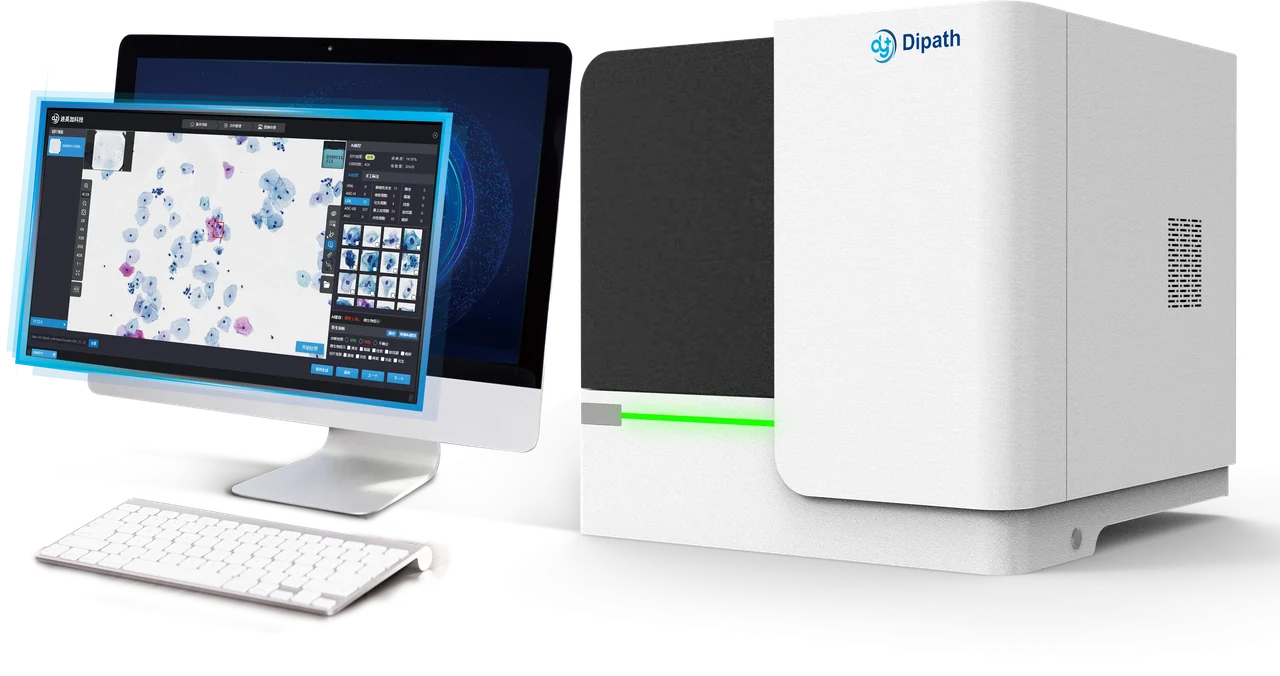
dScan-D240
A 240-slide configuration for laboratories with high-capacity batch requirements, with dual slide magazines and continuous loading.
Technical specifications
| Item | Specification |
|---|---|
| Slide capacity | 240 slides |
| Scan time | 20× ≤15 s 40× ≤35 s |
| Pixel resolution | 20× ≤0.156 μm/pixel 40× ≤0.078 μm/pixel |
| Loading | Dual slide magazines; continuous loading |
| Objective | X-LINE, infinity-corrected |
| Image formats | .csp · .dyj · .tiff · .dcm · .svs |
Scan times are specified for a 15 × 15 mm area at the indicated magnification. Confirm the acquisition conditions and workflow when planning an evaluation.
Model and regional configuration
The dScan-D200 is a customized dScan-D240 variant available in selected markets. Confirm the exact configuration and local availability before choosing a system; the variant name is not a substitute for a project specification.
| Model | Capacity | Workflow description |
|---|---|---|
| dScan-D60 | 60 slides | Single slide magazine; laboratories evaluating or expanding digital workflows. |
| dScan-D240 | 240 slides | Dual magazines and continuous loading for larger batches. |
| D-PathScan-HK | Up to 750 slides | Cassette loading with 15 independent slide racks. |
Confirm the image and system connections
The catalogue lists the image formats above. Compatibility with an existing viewer, image-analysis module, storage system or LIS should be assessed against the actual files and interfaces used in your laboratory.
- Image workflow
- Magnification, tissue area, representative slides, expected daily volume and rescan handling.
- IT workflow
- Viewer and AI modules, file transfer, storage, user access and LIS connections.
- Project scope
- Selected hardware configuration, software version, intended use and market-specific availability.
Prepare a scanner evaluation
- Bring representative slides and define the acquisition and review tasks.
- Review scan time under the agreed magnification and area conditions, image quality and loading procedure.
- Request the configuration specification for the proposed system and review the file and integration requirements with your IT team.
Specifications follow the public D-PathScan catalogue. Project configuration, intended use and regulatory status are confirmed for the model, version and market being considered.
Plan the next step with your team
Share your use case and current setup so the team can confirm the configuration, supporting information and evaluation scope.
Public content reviewed: . Software and configuration versions are confirmed for the proposed project.