A multimodal foundation for pathology image analysis, professional Q&A and workflow applications, connecting pathology images, case context and professional knowledge.
DeepPathAI brings pathology images, case information and professional knowledge together. It supports the development of specialist analysis, pathology Q&A and reporting assistance, with functions configured for the specialty, software version and project.
Model and application relationships
Component
Role
Scope for evaluation
DeepPathAI
Multimodal foundation for images, case context and knowledge.
Agree the model/application version and specialty task.
D-PathAI
Image analysis, visual annotations and quantitative results for review.
Confirm the selected module, supported input and intended use.
D-PathPIS
Case information, pathology Q&A and reviewable report assistance within the workflow.
The pathologist reviews suggestions and confirms the final report.
DiAssistant
DeepPathAI-powered knowledge/literature retrieval, voice interaction, content tools and report drafts.
Available with D-CleverEye DI-MSA-9; confirm the project configuration.
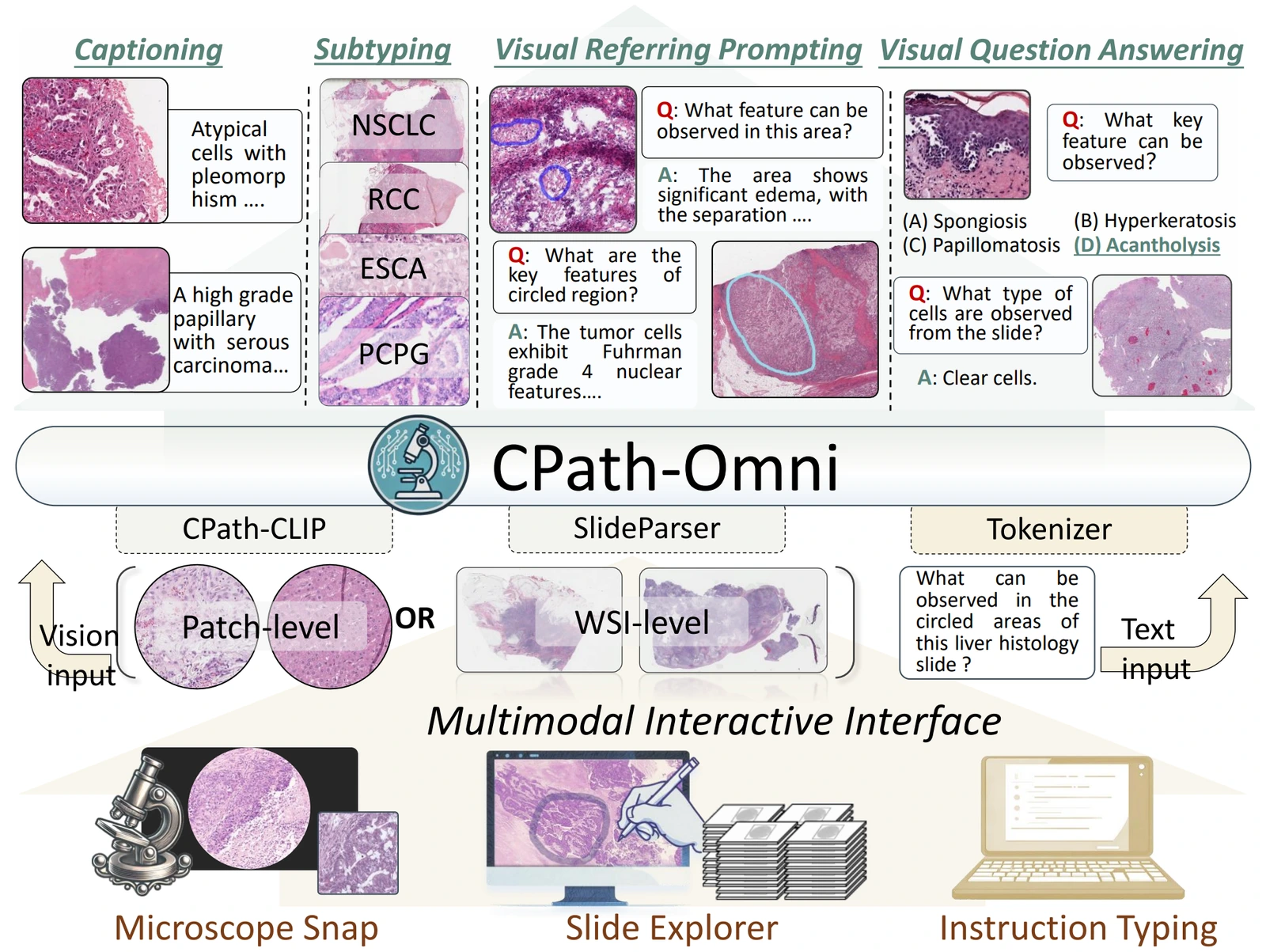
CPath-Omni unifies classification, image description, visual Q&A and region-specific prompting across image patches and whole slides. The research helps explain the capabilities being developed for flexible pathology applications.
Sun et al. · CPath-Omni, CVPR 2025 · Figure 1. Research framework and task examples.
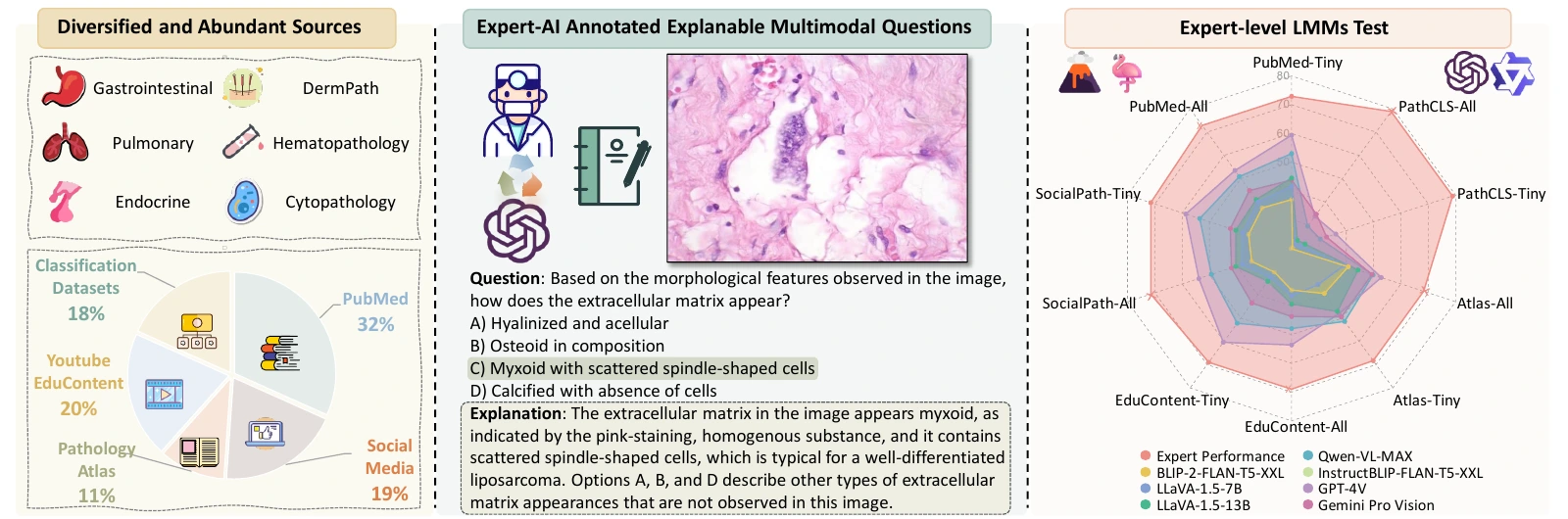
PathMMU evaluates pathology understanding through image-based questions and explanations. Pathologists reviewed validation and test questions. It provides a reference for professional understanding, reasoning and robustness, rather than a clinical diagnostic-performance claim.
Sun et al. · PathMMU, ECCV 2024 · Figure 1. Research evaluation.
These are research figures, not screenshots of a released product. Research tasks and benchmark results do not automatically establish the functions or clinical performance of a particular deployed software version.
Assistance within case review
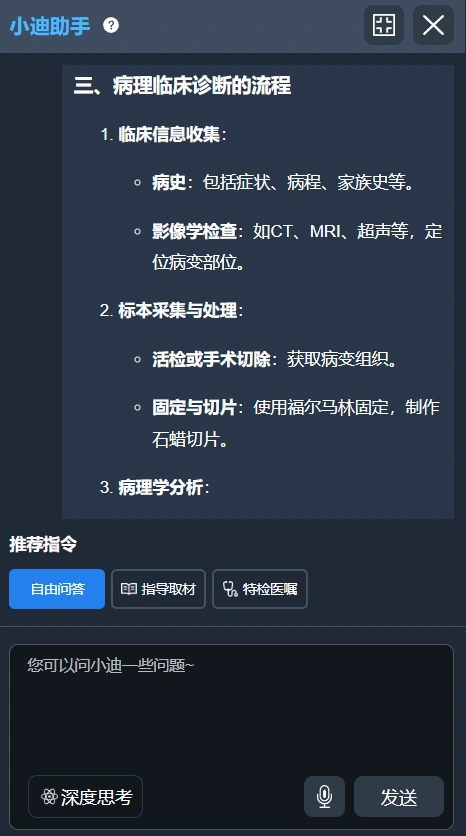
Bring case information and a preliminary diagnosis into pathology Q&A, report drafting and content review. The pathologist reviews the suggestions and confirms the final report within the existing workflow.
Provide relevant case context.
Review the assistant’s response or draft.
Confirm the final interpretation and report.
Original product screen. Functions depend on the specialty, version and project.
Agree a specialty evaluation
Define the task
Agree the specialty use case, available data and evaluation scope.
Adapt the model
Review specialty images, local knowledge and reporting conventions.
Connect the application
Integrate the agreed image-review, reporting or quality workflow.
Evaluate together
Review with pathologists and agree the deployment scope and software configuration.
For an on-premises project, review server and storage requirements, access and update responsibilities. For cloud deployment, confirm the hosting location, access, retention, backup and contractual arrangements. Scanner and LIS integration requires a review of the actual models, file formats and interfaces.